The #1 Anonymous VPN
Hide your online activity
on the Internet
Trust.Zone VPN Service
makes you invisible
and keeps you anonymous
The #1 Anonymous VPN
Hide your online activity
on the Internet
Trust.Zone VPN Service
makes you invisible
and keeps you anonymous
Port Forwarding helps your apps and devices accept incoming connections through your Trust.Zone VPN connection. It is useful when you need better BitTorrent connectivity, remote access, game servers, home media, smart devices or self-hosted apps.
With Trust.Zone, Port Forwarding is available together with Dedicated IP. That means you get a dedicated VPN IP address and a selected port for incoming connections.
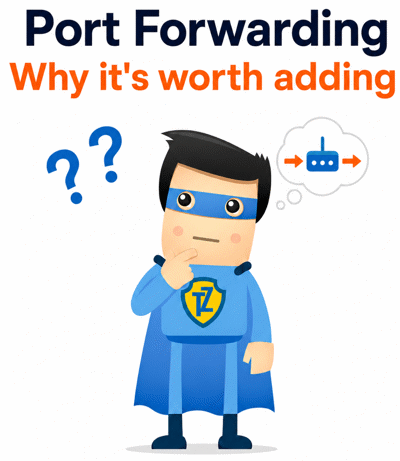
Use Port Forwarding with Trust.Zone Dedicated IP.
Give your torrent client more possible peer connections.
Let selected traffic reach the app or device you choose.
BitTorrent works better when peers can connect to each other. Without an incoming port, your torrent client may still work, but some peers may not be able to connect back to you.
Some peers cannot connect back to your torrent client. This can limit reachability in the swarm and reduce seeding efficiency.
More peers can reach your torrent client through your VPN connection. This can improve downloads, uploads and seeding when peer connectivity is the bottleneck.
Port Forwarding creates one selected route for incoming traffic. Instead of exposing your regular home IP, outside connections can reach the selected app or device through your Trust.Zone Dedicated IP.
Port Forwarding is not only for BitTorrent. It helps when an app, service or device needs to accept incoming connections from outside while your real home IP stays hidden behind your Trust.Zone VPN connection.
Port Forwarding is powerful, but it should be used intentionally. Open only the port you actually need and use it only for the app or service you want to make reachable.
Your Trust.Zone VPN still hides your real IP address and works with privacy features such as No-Logs, Kill Switch and DNS/IP leak protection. Port Forwarding simply adds a selected incoming route through your Dedicated IP.

NeuronFlux
"I’ve tried a bunch of VPNs, but Trust.Zone hits differently. No logging, offshore, and zero hoops to jump through just to get started—no credit card, no nonsense. That kind of anonymity is exactly what I’m looking for."

Dylan Harper
"I signed up for the free trial in under a minute—no card, no hassle. Been using it ever since. Speeds are great."

MistSignal
"Tried it out because it didn’t need a credit card, stayed because it’s rock solid. Fast connection, simple setup, and customer support answered my questions same day"

PixelNomad
"Other VPNs ask for way too much just to try them. Trust.Zone let me jump in without giving up personal info or payment details. That told me everything I needed to know"
A VPN (Virtual Private Network) creates a secure, encrypted tunnel between your device and the internet. Even when using public networks, your online activity remains private and protected. A VPN hides your real IP address and replaces it with the IP of the VPN server you connect to — preventing websites, advertisers, and even your Internet Service Provider (ISP) from tracking you.
With Trust.Zone, your online data stays completely private and invisible to your ISP.
Yes, it is. Using a VPN is completely legal in almost every country around the world, including the US, Canada, the UK, Australia, and all of Europe. Millions of individuals and businesses use VPNs daily to protect their privacy and secure their data.
Yes, Trust.Zone offers a 3-day free trial — no credit card required — to 1,000 users each month.
You’ll get access to multiple server locations, unlimited data, and unlimited bandwidth during the trial.
Limited to 1,000 users monthly — Claim your free trial now
No limits. Trust.Zone offers unlimited data transfer and unlimited bandwidth on all paid plans — stream, browse, and download without restrictions.
No. When you're connected to Trust.Zone, your ISP can only see that you're connected to a VPN - not what you're doing.
Your entire connection is encrypted and private, which means:
With Trust.Zone, your ISP is kept in the dark — just the way it should be.