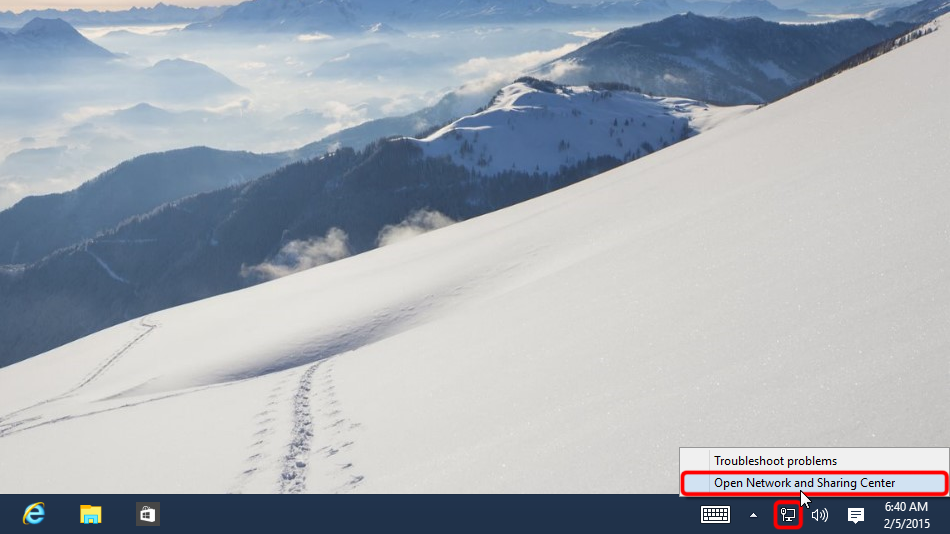
右键点击系统托盘中的网络图标,然后点击“打开网络和共享中心”。
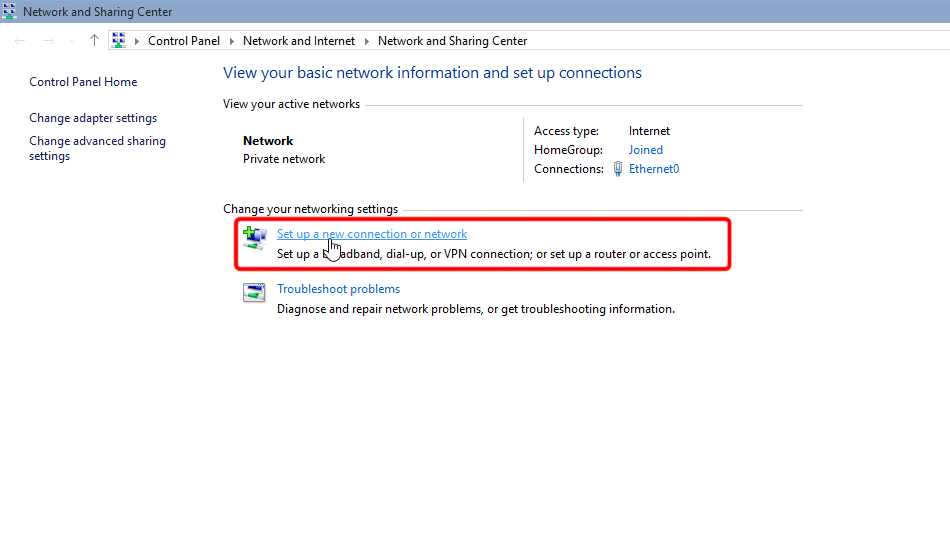
点击“设置新的连接或网络”。
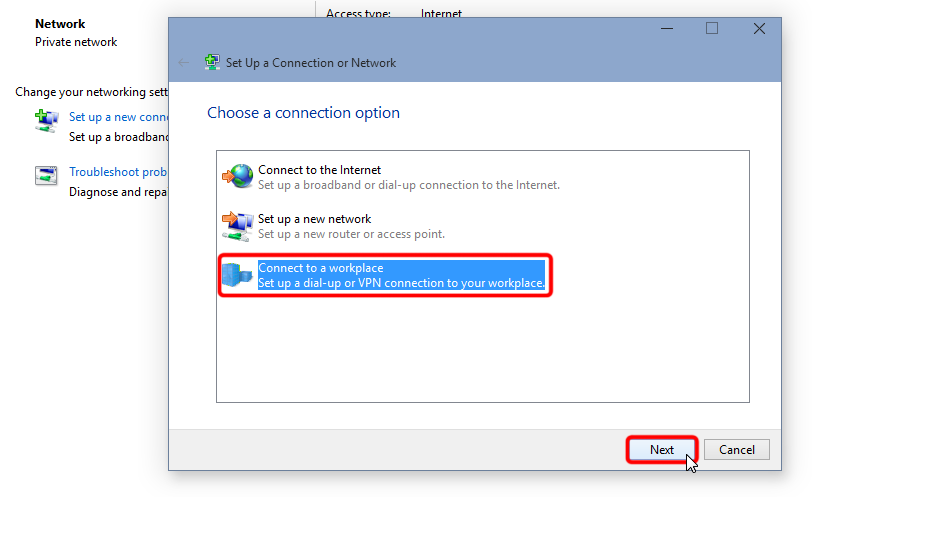
选择“连接到工作区”,然后点击“下一步”。
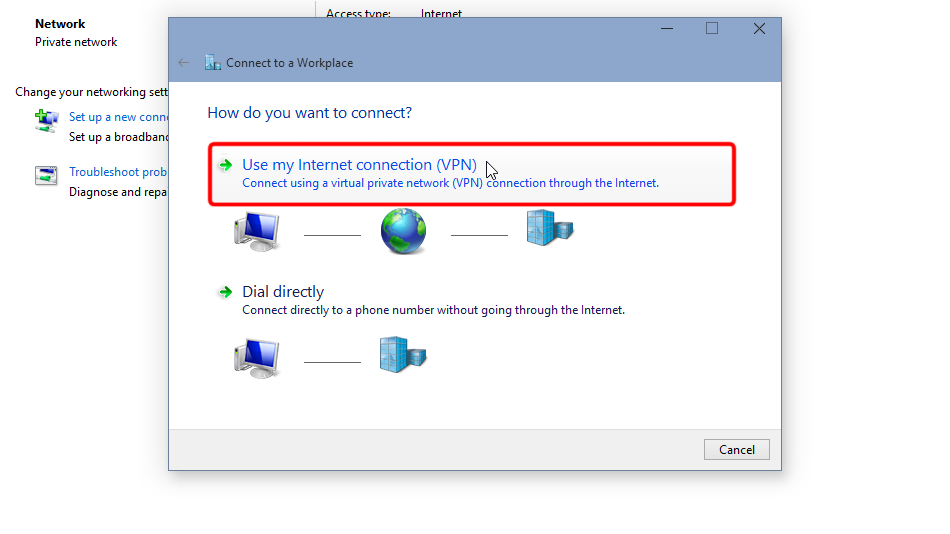
点击“使用我的 Internet 连接 (VPN)”。
按下面的取值填写表单,勾选“记住我的凭据”,然后点击“创建”。
Internet 地址: ca-bc.trust.zone
目标名称: Trust.Zone-Canada-British-Columbia
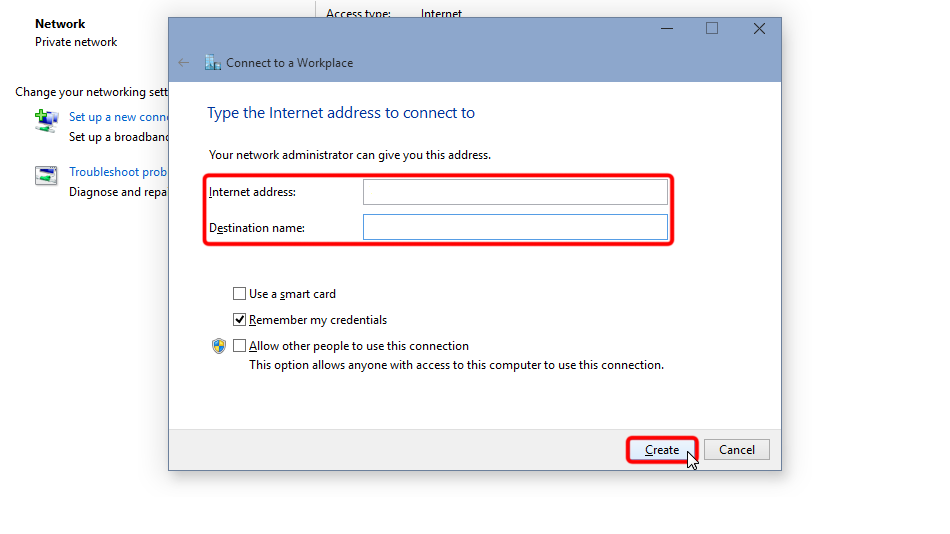 ca-bc.trust.zone
Trust.Zone-Canada-British-Columbia
ca-bc.trust.zone
Trust.Zone-Canada-British-Columbia
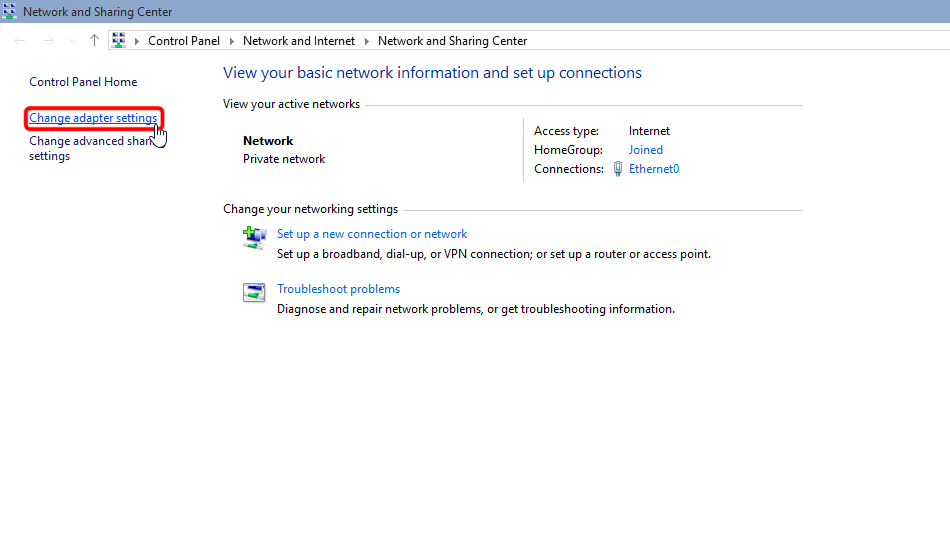
打开网络和共享中心,点击“更改适配器设置”。
右键点击该 VPN 网络适配器,然后点击“属性”。
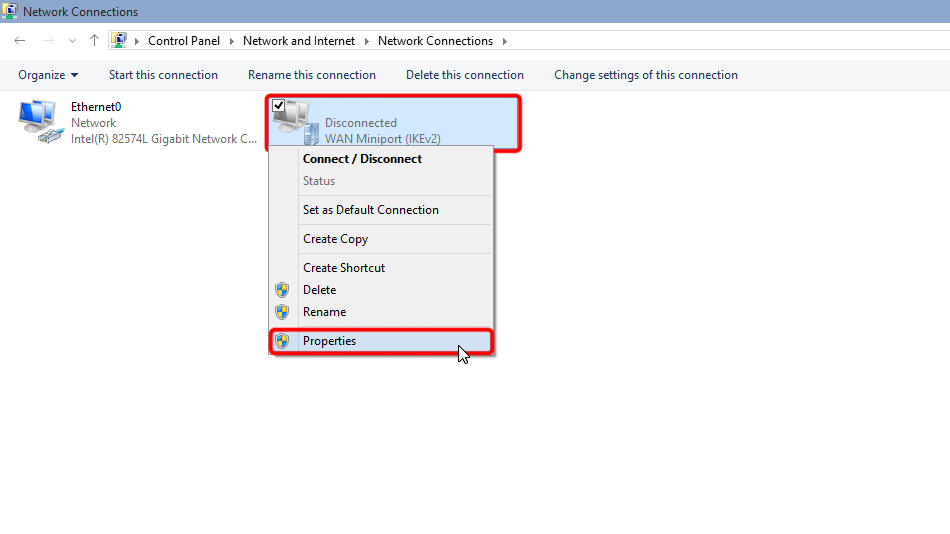 Trust.Zone-Canada-British-Columbia
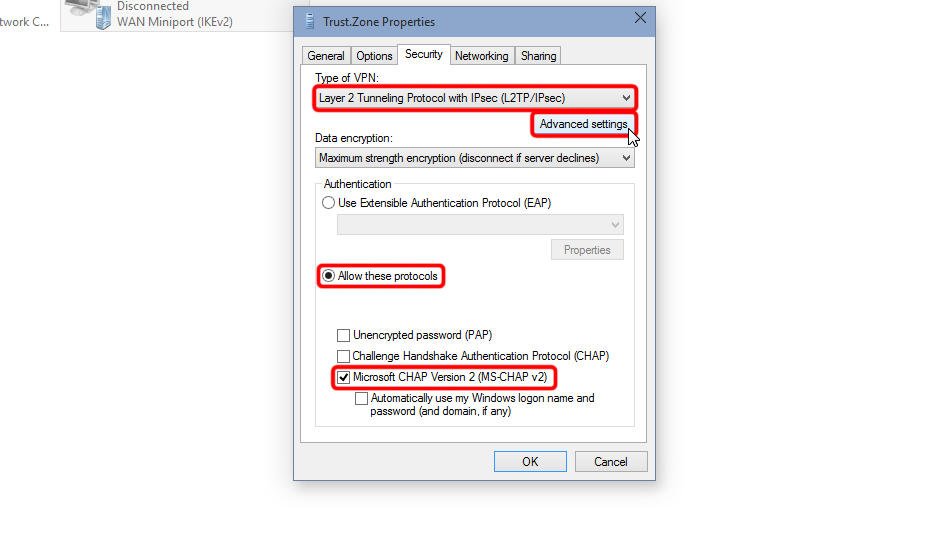
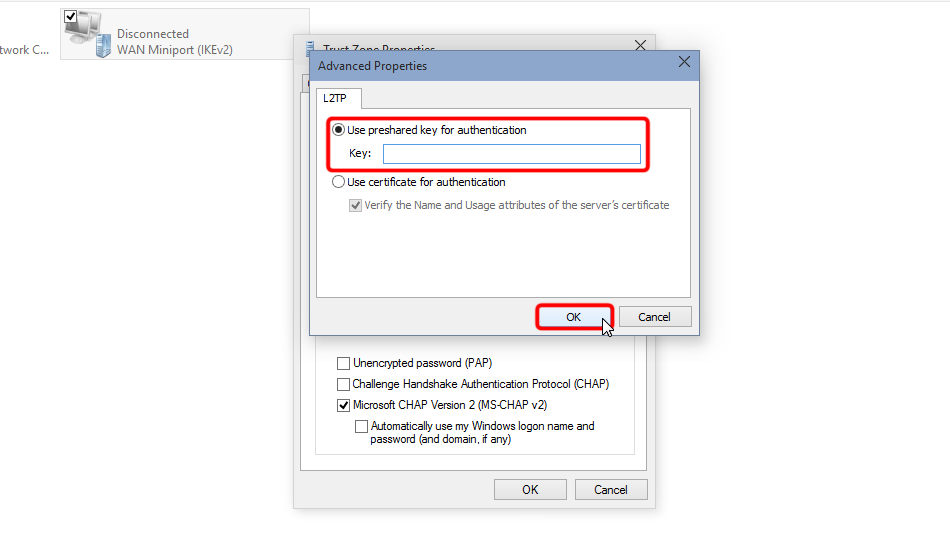
切换到“安全”标签页,把 VPN 类型选为“使用 IPsec 的第 2 层隧道协议 (L2TP/IPsec)”,其余按截图设置,然后点击“高级设置”。
Set "Use preshared key for authentication", it is: trustzone
 Trust.Zone-Canada-British-Columbia
trustzone
Trust.Zone-Canada-British-Columbia
trustzone
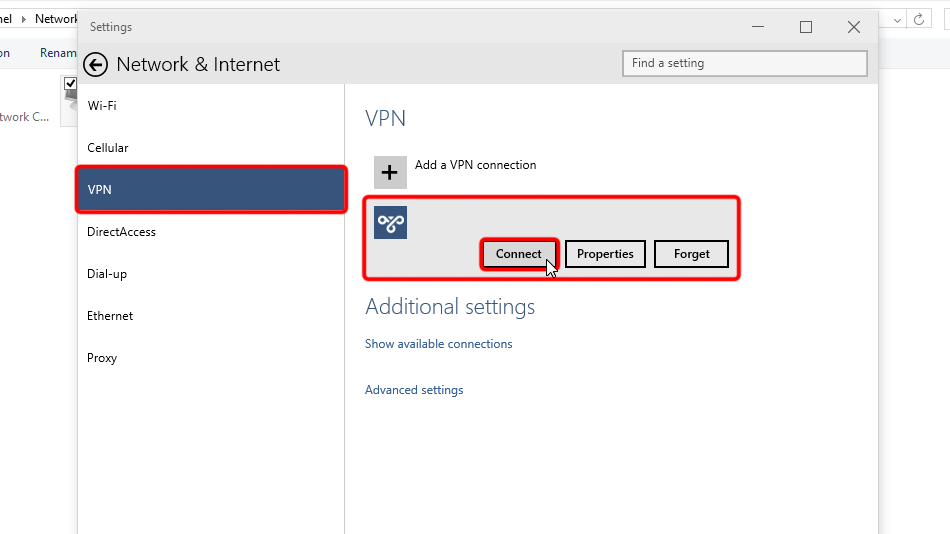
点击任务栏中的网络图标,选择该 VPN 连接,点击“连接”。
 Trust.Zone-Canada-British-Columbia
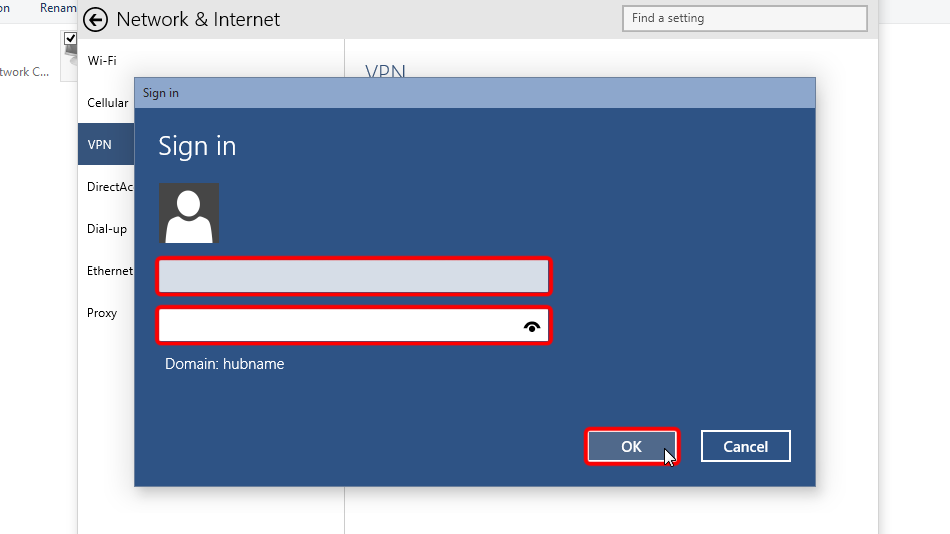
输入您的 VPN 登录凭据,点击“确定”。
Username: 已隐藏. 登录或注册后可见。
Password: 已隐藏. 登录或注册后可见。
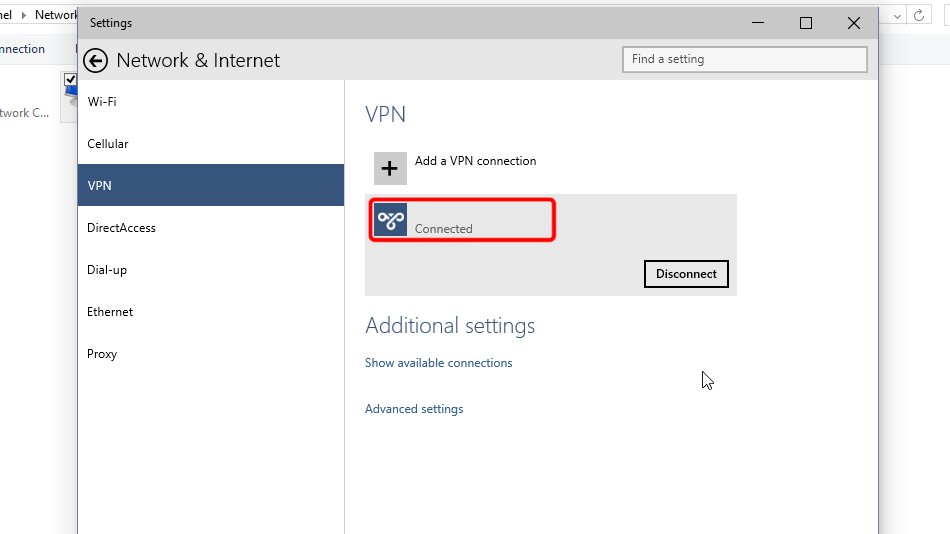
连接成功后会显示“已连接”。您可以在网络设置中管理该 VPN 连接。
 Trust.Zone-Canada-British-Columbia
打开 Trust.Zone 首页(如果已经打开,请刷新),确认与 Trust.Zone VPN 的连接是否正常建立。
您也可以访问我们的连接检测页面。
 您的 IP: x.x.x.x ·
  加拿大 ·
您现在显示在 TRUST.ZONE!真实位置已隐藏!
加拿大 ·
您现在显示在 TRUST.ZONE!真实位置已隐藏!