Your VPN says you are connecting from another country. But your phone may still be telling an app exactly where you are.
That is why a streaming app can show one region while a social app suggests places near your real home. It is why a website may see a foreign IP address while a mobile app asks for your precise location. Your VPN is working. Your phone is simply sharing a different kind of location signal.
A VPN protects your internet connection and replaces the public IP address seen by websites. It does not automatically change the GPS Location reported by your smartphone.
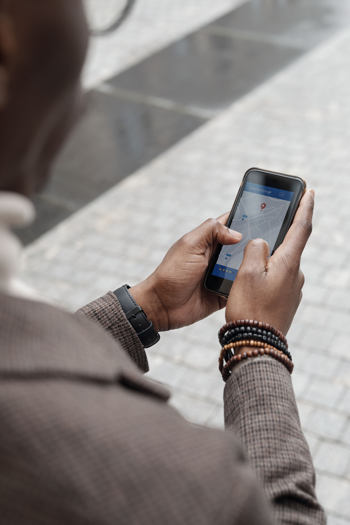 Your IP address gives websites a rough estimate of where your internet connection is located. It can suggest a country, city or provider, but it does not reveal an exact street address. When you connect through Trust.Zone, websites see the IP address of the VPN server instead of your usual home or mobile IP.
This is enough to change the location many websites use. A server in the UK makes your connection appear to come from the UK. A server in Germany makes it appear to come from Germany. For normal browsing, that may be all a website needs.
GPS Location works differently. Your phone uses satellites to identify where it is in the real world, often with street-level accuracy. The signal does not pass through your VPN connection, so changing your IP does not change the GPS coordinates an app receives.
GPS is only one source of location data. Apps can also use nearby Wi-Fi networks, Bluetooth devices, mobile towers and movement data to estimate where a phone is. This can happen even when GPS is weak indoors or unavailable.
Some apps need this information. Maps, taxi services, food delivery and weather apps would be much less useful without location access. Others use it for local content, advertising, licensing rules or account security.
That means an app does not have to rely on your IP address alone. It can compare your VPN location with the signals coming from your phone. When they do not match, the app may ask more questions, limit a feature or decide that the connection needs extra checks.
A location mismatch is not always a problem. If you are traveling, an app may simply see that your phone is in one place while your account or connection is linked to another. But for banking, payments, streaming and other services with strict regional rules, mismatched signals can attract attention.
For example, a streaming service may use your IP address to decide which catalogue to display. A banking app may compare the location of your network with the GPS data from your phone before approving a payment. A social platform can use both to personalize what it shows you.
This does not mean a VPN has failed or leaked your IP. It means the app has permission to use information that comes from outside the VPN tunnel.
The first step is simple: review app permissions. Remove location access from apps that do not clearly need it. If an app needs location only occasionally, allow access only while you are using it. Where your phone offers the choice, approximate location is usually better than precise location.
It is also worth checking Wi-Fi and Bluetooth scanning. Your phone can use nearby signals to estimate where it is, even if you are not actively connected to a network. Turn these options off when you do not need them, especially if location privacy is more important than local recommendations or automatic device discovery.
Finally, keep your VPN setup consistent. Trust.Zone V2 lets you use Smart Split Tunneling for individual applications and websites. That is useful when a local service needs your normal connection, but anything excluded from the VPN tunnel uses your regular IP address. If you want an app to use your Trust.Zone location, make sure it is not routed outside the VPN.
Trust.Zone hides your normal public IP address from websites and apps by replacing it with the IP address of the VPN server you choose. It also encrypts the traffic between your device and the VPN server, helping protect it from your internet provider, public Wi-Fi operators and other local network observers.
That protection is still important when an app has location permission. The app may know your physical location, but it does not need to see your home IP address or the separate direct connections you make through the VPN.
A VPN cannot erase information you gave to an app before connecting. A logged-in account, previous location history, cookies and permissions can all reveal more than your IP address alone. Privacy works best when you control both the connection and the data your phone is allowed to share.
A VPN gives you control over how your connection appears online. Location permissions decide how much your phone tells individual apps about the real world around you. They are different controls, and using both carefully gives you much stronger privacy.
Coming soon: Trust.Zone V2 will support Change My GPS Location, a new feature that overrides the GPS coordinates your smartphone shares with apps. Follow Trust.Zone news and app updates so you do not miss the release.